Labels play a crucial role in product branding and information. Several methods exist to print labels, each with unique benefits and limitations. Common label printing techniques include flexographic, digital (inkjet/laser), offset (lithographic), thermal transfer, and screen printing. Each uses different technology – for example, flexo and offset use plates on cylinders, digital uses computer-driven heads, thermal uses heat and ribbon, and screen uses stencils – to apply ink or imagery onto label materials. The choice of method depends on factors like run size, material, image detail, durability, and budget.
Flexography (flexo) uses a flexible relief plate mounted on a cylinder to transfer ink to the label stock. It works well on porous substrates (paper, cardboard) and many plastics. Flexo is high-speed and ideal for very high-volume runs (often 100,000+ labels). It’s commonly used for food & beverage labels, shipping labels, and packaging (corrugated boxes, flexible films) due to its efficiency on continuous rolls. However, flexo setup is time-consuming: making and mounting plates takes effort, so flexo is most cost-effective on large orders.
Digital label printing (inkjet or laser) applies images directly from a digital file, without plates. This makes it ideal for short runs, quick turnarounds, and customization. Digital can economically produce high-quality color labels on demand, including variable data (barcodes, QR codes, serialized labels). It has minimal setup time (just file prep) and good resolution. The main trade-off is that digital presses generally have higher per-label costs at very high volumes, so they shine on low-to-medium quantities. They also typically print in CMYK (plus white or varnish) rather than full specialty inks.
Offset lithography uses metal printing plates and a rubber “blanket” to transfer ink to labels. It delivers the highest image quality and color fidelity of traditional methods. Offset is very fast on large sheets and excels at large volumes once set up. Its setup costs are high (plates, makeready), so it’s economical only for large runs where the initial cost is amortized. You’ll see offset used for folding cartons, high-end product labels, and publications. The process works best on paper-based stocks, though UV inks can handle some synthetics.
Thermal transfer printing uses heat to melt ink (resin or wax) from a ribbon onto the label material. This method produces crisp, long-lasting prints that resist fading, moisture, and chemicals. It is often used for barcode labels, inventory tags, and outdoor/industrial labels because of its durability. Thermal-transfer printers are slower and typically print monochrome images (usually black or one color per pass), so they’re suited to utilitarian labels (barcodes, serials) rather than complex color graphics.
Screen printing forces ink through a stencil onto the label surface. It’s exceptionally versatile and durable: thick, opaque inks adhere to a wide range of materials (vinyl, polyester, metal, glass). Screen-printed labels resist extreme temperatures, UV exposure, moisture, and chemicals, making them ideal for outdoor, industrial, and safety applications. Each color is applied via a separate screen, so multi-color jobs take longer. Screen printing excels in vibrant spot colors and specialty inks (metallics, fluorescents), but the setup (creating screens) is labor-intensive, so it’s best for medium to large runs of durable or functional labels rather than quick jobs.
Cost: High initial setup (plates) but very low cost per label in large quantities.
Speed: Extremely fast for roll-to-roll production. Quality: Good for solid colors and large graphics; moderate in fine detail.
Setup Time: Long (plate making and press setup).
Durability: Prints are fairly durable with proper inks.
Use Cases: Beverage/food product labels, shipping labels, and packaging that use paper, film, or foil.
Cost: Low setup cost (no plates), but higher cost per label at scale.
Speed: Quick start-up and turnarounds for small batches.
Quality: Very high resolution (sharp text and images) and supports variable data.
Setup Time: Minimal (file to press).
Durability: Adequate for most indoor uses; can be made more durable with laminates or special inks.
Use Cases: Custom labels, proofing, small batches, on-demand or versioned labels (promotions, short-lived products).
Cost: Very high startup (plates, press), but extremely low cost per label on big orders.
Speed: Very fast once running.
Quality: Highest image and color quality; excellent for fine detail and smooth gradients.
Setup Time: Long (plate preparation, color balancing).
Durability: Good on paper stocks; UV-coated labels resist wear.
Use Cases: Large print runs of paper labels, books, brochures, high-end packaging where premium print appearance is needed.
Cost: Moderate (printer cost plus ongoing ribbon supplies).
Speed: Moderate (slower than flexo/digital).
Quality: Sharp, high-definition mono prints (especially barcodes and text).
Setup Time: Very low (load ribbon and media).
Durability: Excellent – prints can withstand chemicals, abrasion, heat, and UV.
Use Cases: Barcodes and serial-number labels, asset tags, outdoor/industrial labels where longevity matters (electronics, chemicals, outdoor equipment).
Cost: Relatively low initial equipment cost, but higher labor per job.
Speed: Slow (hand/automated screens, one color at a time).
Quality: Thick, vivid inks; great for bold graphics and non-porous surfaces.
Setup Time: Long (screen creation and alignment).
Durability: Very high – labels tolerate extreme environments.
Use Cases: Outdoor signage labels, safety and warning labels, medical equipment labels, branding on durable goods (metals, plastics) where color opacity and longevity are critical.
Selecting the right printer depends on your specific needs. Key factors include:
Print Volume: Determine your run sizes. Desktop and digital printers excel at low-to-medium volumes, while industrial flexo or offset presses handle very high volumes efficiently. Industrial label printers often offer very high speeds (10+ inches/sec) and large media capacity for continuous runs.
Material Compatibility: Ensure the printer supports your label stock (paper, film, foil, synthetics). For example, water-resistant or chemical-resistant labels may require BOPP or polyester material and a thermal-transfer or flexo press. Verify media thickness and adhesive types too.
Print Resolution (Quality): Higher DPI yields clearer text and finer graphics. If you need small barcodes or detailed images, check the printer’s resolution (common are 203 dpi, 300 dpi, or higher). Industries like manufacturing and pharmaceuticals often demand high-res (300+ dpi) for barcode readability.
Cost and ROI: Consider both initial cost and operational cost. Industrial flexo/offset presses require large capital investment but lower cost per label in mass production. Digital and desktop printers cost less upfront but have higher per-label consumable costs on large runs. Calculate Total Cost of Ownership: include inks/ribbons, consumables, maintenance, and labor.
Ease of Use & Maintenance: Look for user-friendly interfaces and reliable support. Connectivity options (USB, Ethernet, Wi-Fi) and software compatibility matter. A compact or modular machine may be needed if floor space is limited. Also consider service: having spare parts and technical support available is crucial for minimal downtime.
Industry Requirements: Certain industries have special needs. Food or medical labels might require FDA/UL-approved inks or specific adhesives. Outdoor labels may need UV-protective inks. Ensure the printer can use specialty inks or finishes (UV curing, laminates) if required by your industry.
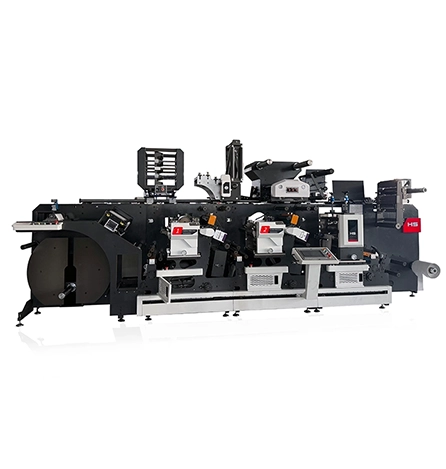
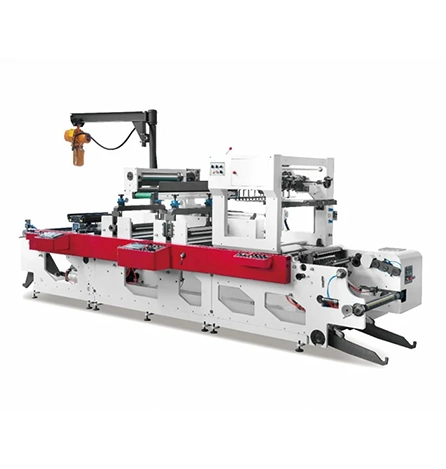
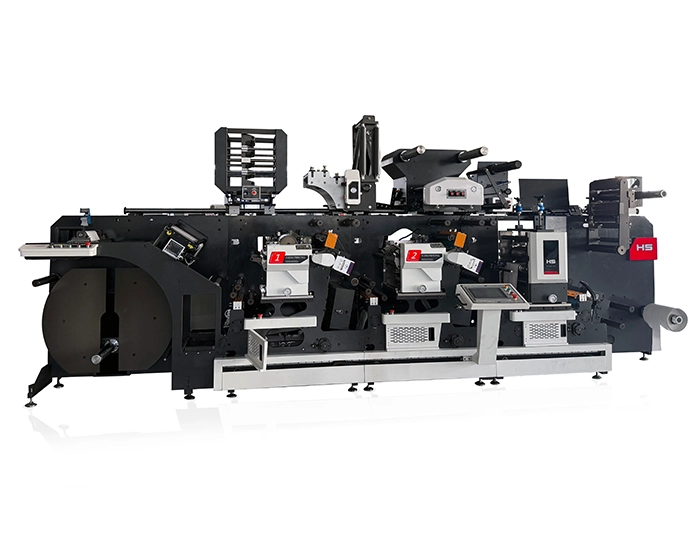
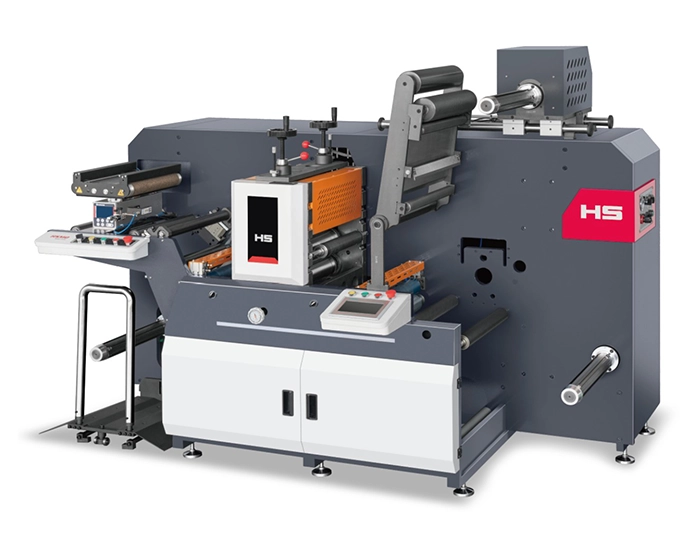
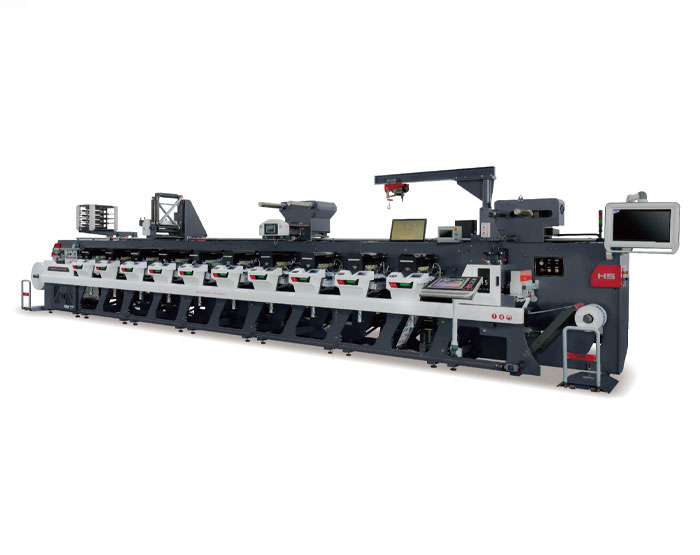
Hongsheng’s Label Flexo Printing Machine is engineered for precision and reliability in industrial label production. It supports 1 to 9 colors, with servo-driven controls on each station for highly accurate registration. The press handles a wide variety of substrates – from adhesive paper and plastic films to aluminum foil and cardboard – making it versatile for many label types. Notable features include auto-registration, adjustable 360° registration control, and optional IR or UV drying for fast curing. These machines incorporate durable anilox rollers and advanced servo systems to ensure consistent, high-quality output. In short, Hongsheng’s flexo press delivers precision engineering and robust performance for large-scale label printing on nearly any material.
Each label printing method has its pros and cons. Flexo printing is fast and cost-effective for huge batches, but needs long setup. Digital printing is quick and flexible for small runs, but more expensive per label at scale. Offset offers the highest print quality for very large jobs, offsetting its high setup cost. Thermal transfer yields extremely durable labels (ideal for harsh conditions) but prints more slowly and usually in one color. Screen printing produces vibrantly colored, tough labels, yet is labor-intensive and best for specialty applications.
Ultimately, the best method depends on your label goals. For mass production on everyday materials, flexo or offset may win. For custom or short-run jobs, digital is attractive. For durability under extreme conditions, thermal transfer or screen printing may be ideal. Assess your print volume, material, image detail, and budget to choose the right printer for your labels.
What is the most economical label printing method?
For small quantities, digital printing is usually most economical because it requires no plates or long setup. For very large runs, flexo or offset become more economical per label despite their higher setup costs.
Is flexo printing good for packaging?
Yes. Flexography is widely used in packaging – especially flexible packaging and corrugated boxes. It prints efficiently on materials like films, paper, and cardboard, making it ideal for food, beverage, and consumer product packaging.
How do I choose the right label printer?
Start by evaluating your needs: volume (daily label output), materials, required resolution, and budget. High-volume needs (warehousing, manufacturing) often call for industrial printers prioritizing speed, material compatibility, and durability. For barcode clarity and graphics, ensure the printer meets your dpi requirements. Consider connectivity (network vs. PC only) and any industry standards (food-safe inks, etc.). Reading reviews and trying sample prints can also help you pick the best label printer for your workflow.
GET A QUOTE

 English
 Español
 عربي
عربي