A pharmaceutical label converter in Zhejiang processes thousands of drug instruction leaflets every shift. The folding machine runs beautifully for hours—then suddenly, a crease appears 2mm off‑center. A few sheets later, two labels jam side‑by‑side inside the folding plates. By the time the operator clears the jam, forty sheets are already wrinkled beyond use.
These small folding defects rarely announce themselves with a catastrophic failure. Instead, they creep in gradually: a slightly skewed feed, a roller that has lost a fraction of its grip, a buckle plate that has shifted 0.3mm. On a Label Folding Machine folding pharmaceutical leaflets or logistics waybills at thousands of pieces per hour, even a 1% waste rate means hundreds of discarded sheets per shift. The good news is that most folding defects follow predictable patterns. This guide walks through the five most common failure modes—paper feed misalignment, roller pressure imbalance, worn buckle plates, static buildup, and sensor drift—and gives you field‑proven fixes that don‘t require replacing major assemblies. HongSheng’s automatic folding equipment is built for high‑precision label processing, but even the best machine needs systematic diagnosis when quality drifts.
The defect pattern points directly to the root cause. Don‘t guess—read the label.
Crease offset consistently by the same amount. The fold line is always 2mm too far to the left or right, across the entire batch. Paper feed alignment is off. The side guides are not parallel or the paper stack is shifting sideways before entering the folding section.
Intermittent crease offset—sometimes correct, sometimes shifted. Roller pressure is inconsistent. One roller may have worn unevenly, or the pressure spring has lost tension. The label enters the nip at a slight angle on every other cycle, creating inconsistent fold placement.
Wrinkles or small folds that appear only in the middle of the run (not at start). Static buildup is the culprit. After several hundred sheets, static charge accumulates on the paper surface, causing sheets to cling to guides or each other. The result: erratic feeding and random small creases that were not present at the beginning.
Labels jam inside the folding plates. Buckle plates or folding rollers are obstructed. The most common cause is dried adhesive residue or paper dust on the roller surface. In pharmaceutical leaflet folding where UV coatings or varnishes are used, this residue accumulates faster.
Folded labels are perfectly formed but count is off—batch ends mid‑run. The sensor that detects sheet passage has drifted. A dirty photocell or a sensor that has shifted out of alignment misses counts, and the machine continues running past the programmed batch quantity.
The feeding section determines everything downstream. If the label enters the folding section misaligned by even 0.5mm, every subsequent fold will be off by that amount multiplied by the number of fold panels.
Set and verify side guide parallelism. Loosen the lock screws on the side guide rails. Use a straightedge or a known‑straight label of the maximum size to verify that both side guides are parallel to the machine‘s travel direction. The gap between the guide and the label edge should be exactly 0.3mm—enough to eliminate friction, not so loose that the label can shift laterally. A Label Folding Machine with dual servo motors maintains precise feed alignment under normal conditions, but physical guide settings still require periodic verification.
Check the pickup roller condition. The roller that pulls the bottom label from the stack is a wear item. After 200,000‑300,000 cycles, the rubber surface becomes polished or glazed. Instead of gripping the paper, it slips, causing double feeds or skipped feeds. Wipe the pickup roller with 98% isopropyl alcohol and a lint‑free cloth. If the surface is visibly shiny rather than matte, replace the roller. For pharmaceutical applications where labels have heavy ink coverage or UV coatings, expect shorter roller life. HongSheng offers replacement rollers as standard spare parts for their Label Folding Machine series.
Set the separator pad or air blast correctly. If the machine uses a friction separator, the pad pressure must be just enough to allow one label through at a time. Too much pressure jams; too little causes double feeds. If the machine uses air separation, verify that the air nozzles are clean and positioned to lift only the top sheet. Dust from paper cutting accumulates in air nozzles—blow them out weekly with compressed air.
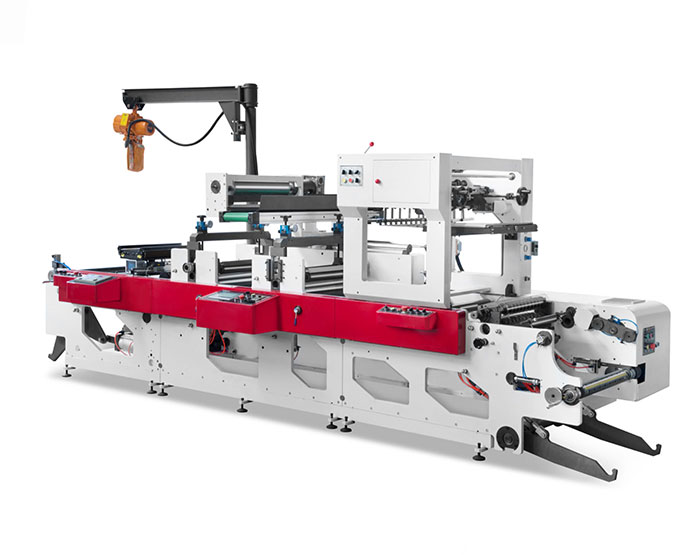
The folding rollers apply pressure to the paper as it passes through the folding plates. Uneven pressure—side to side or front to back—produces inconsistent fold positions.
Run a test sheet through and stop mid‑fold. With the machine stopped and the guard open, inspect the sheet as it enters the first roller nip. If the sheet is skewed, the pressure on one side is higher than the other. Identify the pressure adjustment screws or springs on the roller bearing housings. Turn the adjustment on the low‑pressure side in small increments—one full turn is usually too much; start with quarter turns. Run another test sheet and repeat until the sheet enters straight.
Measure roller gap at both ends. Use a feeler gauge to measure the gap between the two rollers at the left and right ends. On a high‑precision Label Folding Machine processing thin materials (40‑80gsm pharmaceutical leaflets), the gap difference should be less than 0.05mm. If the difference exceeds 0.1mm, the roller bearings may be worn or the roller itself may be bowed. Replace worn bearings.
Inspect roller surface for residue. Dried adhesive, ink, or paper coatings build up on the roller surface over time. These hard deposits create localized pressure points that mark the paper and cause uneven fold placement. Wipe rollers with 98% isopropyl alcohol and a soft cloth. For heavy residue, use a plastic scraper—never a metal blade, which damages the roller surface. For machines running coated papers, schedule roller cleaning daily.
Buckle plates and folding rollers form the heart of the folding mechanism. They must be perfectly aligned and free of obstruction.
Clear debris from buckle plate entry. Paper dust, adhesive residue, and staple fragments collect at the entry point of each buckle plate. Even a small buildup changes the angle at which the paper enters the plate, causing the fold position to shift. With the machine off, remove the buckle plate cover. Use compressed air to blow out debris, followed by a soft brush for stubborn deposits. For pharmaceutical and logistics label applications where paper dust is high, perform this weekly.
Verify buckle plate depth. Each buckle plate has an adjustable stop that determines how far the paper travels before hitting the stop and buckling. If the stop has shifted, the fold length changes. To check, fold a test sheet and measure the panel length. If the first panel is longer than the second, the stop for that plate is too deep. Adjust the stop screw in small increments—two turns is usually enough—and run another test. Repeat until the panels are equal.
Check for worn folding rollers. The folding roller that contacts the paper has a rubber or polyurethane surface. Over thousands of hours, this surface develops flat spots or hard glazing. A worn roller cannot maintain consistent friction, leading to intermittent jam. If the roller surface shows visible flat spots or feels slick, replace the roller.
Static electricity is the most overlooked cause of folding defects. It does not appear at startup—it builds gradually.
Recognize static symptoms. After 500‑1,000 sheets, labels begin to cling to guides, stick to each other, or drift sideways. The machine may double‑feed or jam without any mechanical cause. In dry winter months or low‑humidity environments, static problems are worse.
Install anti‑static tinsel. A simple, low‑cost solution is to drape anti‑static carbon fiber tinsel over the web path just before the feed section. The tinsel must be grounded to the machine frame. This dissipates static charge before the paper enters the folding section.
Add a passive static eliminator bar. For persistent static issues, install a passive conductive static bar (such as a carbon fiber brush bar) across the full paper width. Position it 5‑10mm above the paper surface. The bar must be grounded to a common earth point.
Control ambient humidity. In dry conditions (below 40% RH), static buildup increases dramatically. Use a humidifier in the folding area to maintain 45‑55% relative humidity. This single change can eliminate 80% of static‑related defects without any machine adjustment.
The final hidden failure mode is sensor drift. The photocell that detects each folded sheet may shift out of alignment or become partially blocked.
Clean the sensor lens. Paper dust and static charge attract dust to the sensor lens. A dirty sensor misses sheet counts, causing the machine to run past the batch limit. Wipe the lens with a lint‑free cloth and isopropyl alcohol. For recessed sensors, use a cotton swab.
Verify sensor alignment with a test sheet. Run a single sheet through the machine. Stop it directly under the sensor. Check that the sensor‘s detection beam hits the sheet within its specified detection zone. If not, loosen the sensor mounting bracket and reposition. Tighten and retest. On a Label Folding Machine with PLC control, the operator can view live sensor status on the HMI to confirm detection.
Check the sensor’s threshold setting. Some sensors have an adjustable sensitivity knob. If the sensitivity is too high, the sensor triggers on paper dust or static discharge. If too low, it misses the sheet. Adjust sensitivity so that the sensor reliably detects every sheet but does not false‑trigger between sheets.
Q: Why does the same label folding machine jam on coated paper but run fine on uncoated?
A: Coated papers, especially those with UV varnish, have lower surface friction and higher static buildup. They slide sideways more easily and generate static faster. To run coated papers, increase side guide pressure slightly (but not so much that the paper buckles), install anti‑static tinsel, and reduce the feed speed by 10‑15% until the jams stop.
Q: How often should I replace pickup rollers on a high‑volume label folding machine?
A: For a machine running 8 hours daily, inspect pickup rollers monthly. Replace every 6‑12 months depending on paper type. Abrasive papers (uncoated, recycled, high‑clay content) wear rollers faster. Coated papers with heavy ink coverage cause glazing sooner. HongSheng stocks replacement rollers for their Label Folding Machine series.
Q: Can I use the same settings for folding pharmaceutical leaflets and thick cardboard labels?
A: No. Pharmaceutical leaflets are thin (40‑80gsm) and require low roller pressure and tight side guides. Thick cardboard labels (200‑300gsm) need higher pressure, wider side guide gaps, and slower feed speeds. Always recalibrate when changing material types. The HSDW‑570 model, which is suitable for inserting paper/leaflet folding equipment for logistic labels and small‑items packaging markets, has a high‑definition operator panel and servo motor system that allows saved settings for different material types, making changeovers faster.
Q: The machine runs fine for two hours, then starts jamming. What should I check first?
A: Static buildup or sensor drift. Wipe the sensor lens first—this takes five seconds and solves a surprising number of mid‑run jams. Then check for static cling: hold a sheet near the feed guides; if it clings, install anti‑static tinsel or increase humidity.
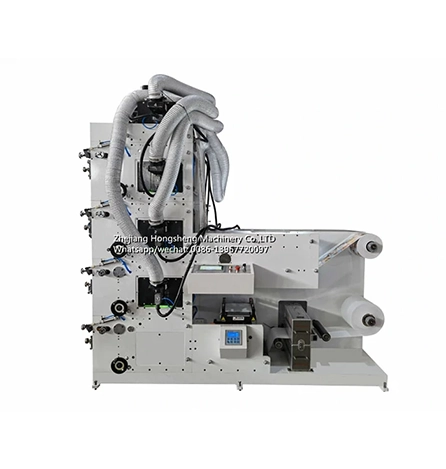
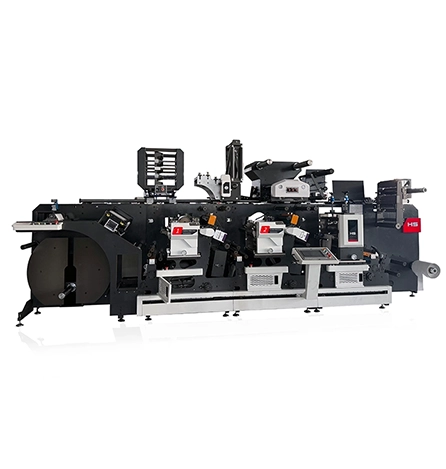
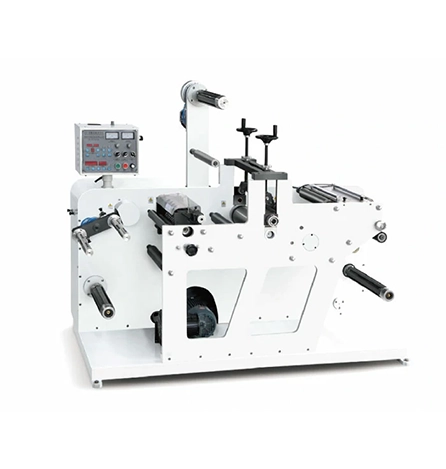
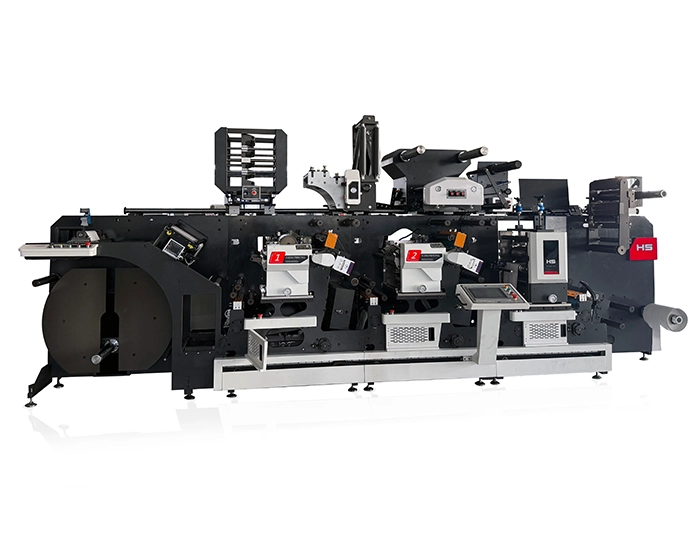
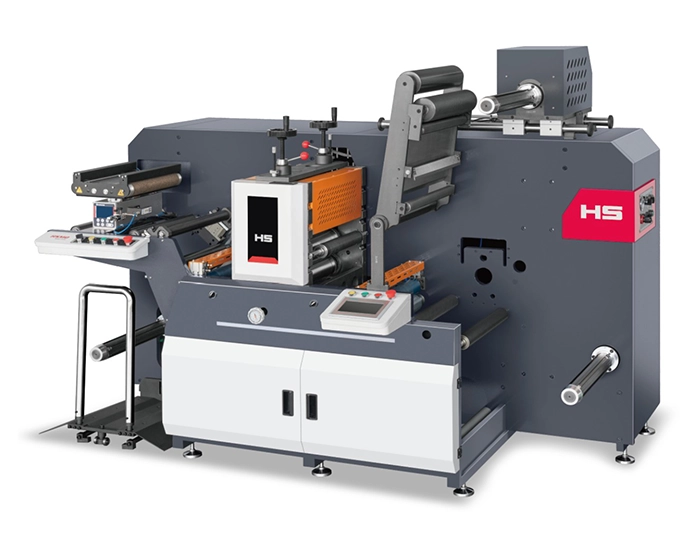
When consistent folding quality is the daily requirement, the engineering of the machine determines how reliably the process runs. HongSheng Machinery manufactures the Automatic Folding Machine For Label (HSDW-570) for high‑volume label, ticket, and leaflet folding applications. The machine is designed for superior performance with soft labels, ensuring smooth operation and minimal defects.
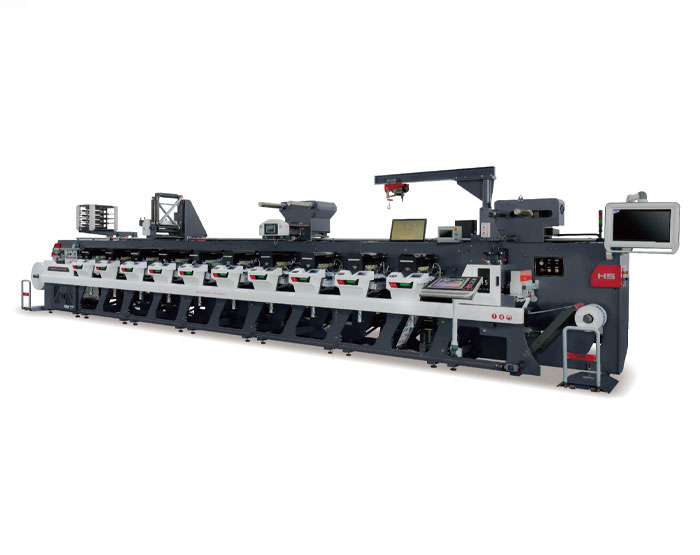
The HSDW‑570 features a high‑definition fixed operator panel and a latest‑generation servo control system, with each unit driven by a servo motor for high precision register even at high speeds. The machine is equipped with a water cooling device for the printing carrier rollers, so that the printing of thin film materials will not be subject to UV curing. The modular unit concept differentiates between flexo, die‑cutting, unwinding and rewinding units, greatly improving productivity and precision.
With servo motors and a user‑friendly HMI for accurate operation, the machine is ideal for efficient folding of labels, boarding passes, and tickets. It can be paired with flexo or die‑cutting machines for a complete workflow. Double servo motors can print all kinds of films (PP, PVC, BOPP), shrink films, stickers, papers, aluminum, and more. Standard widths are 340mm, 370mm, 420mm, 450mm, 530mm, and 650mm, with optional features including cold foil stamping, die cutting, conveyor, multi‑layer, varnishing, hot air drying, laminating, and screen printing.
The HSDW‑570 is also suitable for inserting paper/leaflet folding equipment for logistic labels and small‑items packaging markets. Its advanced control system ensures perfect printing with minimized losses, and the high‑precision sleeve design (pillow‑mounted plate roller with high‑precision gears) allows easy and quick operation.
For a production manager dealing with folding defects, the HSDW‑570‘s ability to store settings for different material types—pharmaceutical leaflets, logistic waybills, boarding passes—reduces changeover waste and keeps the line running.
→ Request a quote from Hongsheng Machinery for the Automatic Folding Machine For Label (HSDW-570) — Share your typical label material (paper, film, pharmaceutical leaflet, boarding pass), thickness range, and monthly volume. Their technical team can recommend the right configuration and provide default folding parameters for your specific application.
GET A QUOTE

 English
 Español
 عربي
عربي